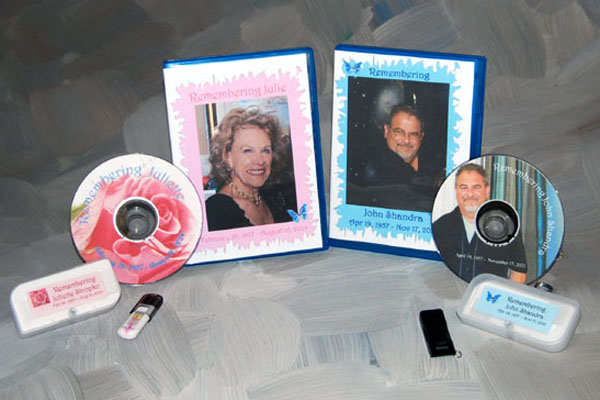
All of our slideshows are produced in-house for security, high quality and full control. DVD presentations never send out work to third party vendors. All sideshows are preserved on the highest quality DVD Disc.
DVD presentations offers local pickup service, upon request, within Orange County, CA. Customers outside of this area can mail their images, etc. to our mailing address: P.O. Box 10543 Fullerton, CA. 92838.
Step One:
Choose the package of your choice: Family, Remembrance, Funeral, Memorial or Social Media. Our packages come with a certain quantity of images and music selections. If you need more images in your slideshow. You can either move up to the next package level or increas the images by $3.00 per image. Please realize that too many images over may impede the music score for the slideshow. Plus, in some cases may be too long for viewing at the venue of your choice.
Step Two:
Select the images you would like to place on your DVD Digital Slideshow. Determine the music you would like to include on your DVD. Either from our in house music selections, royalty free music selections, the music you will supply from CD(s), or music you would like us to purchase on your behalf from Itunes®. Please remember, that most music is copyrighted material, but can be used for your own personal enjoyment. You will not be able to place your personal slideshow for advertising purposes without consent or release for the music unless you use royalty free music.
If you require additional music score(s) to your slideshows there would be an additional charge of $20.00 per score for placing and editing the material. Please remember that the music redemption is time-consuming in that the entire score is not always used, but is edited to fit.
Step Three
Once you have selected your package, images and music scores(s) you will need to organize your materials. For each of your photographs and slides put them in the order you would want them displayed in the slideshow. On the back of each place a “note sticker” with your first & last name initial plus a number. EX. Jan Smith would place JS-001 on the first image and JS-002, JS-003 for each of the other images in order.
For your digital images…please use the same format by renaming your digital images before sending them by email. Digital materials can be sent as an attachment to your email and send to sales@dvdpresentations.com with your name and address in the email and subject line as “Slideshow Images”.
Have all these materials ready to send once your order is placed…please ensure that your numbering is in sequence.
For best results put all your images on a “Flash/Scan Disk” of your choice to send to us. Your disk will be returned!
Step Four
You have now selected your package and music scores(s), have all your images in sequence (photographs, slides and digital images). If at this point you have any questions please contact us or complete our form on our Ready To Order page. You will receive an instant reply letting you know that your form has been received. We will contact you within the next 24 hours to follow up and answer your Questions.
Step Five
You can now place your order with our “Peliminary Request Form” (see link above), selecting the proper package. Fill in the form completely and submit to us. You will be able to let us know how you will be sending us your materials, photos, slides, and music. Once the form is submitted you will be recieve an invoice and a link to our payment page. Supply your shipping and billing details and credit card information (securely). We accept American Express, Master Card, Visa, Discover, and PayPal. A PayPal account is not required. We will begin to work on your slideshow once we receive your order, payment, and materials.
Questions: Contact Us Today!